
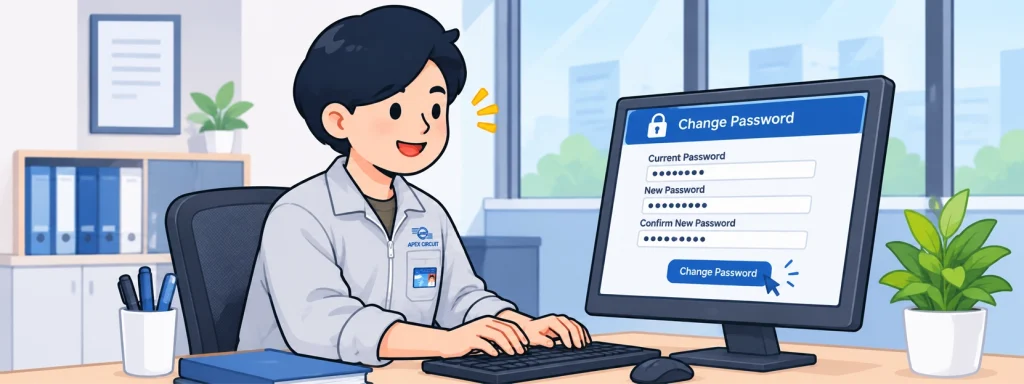
แจ้งเตือนรหัสผ่านใกล้หมดอายุ พร้อมวิธีเปลี่ยนรหัสผ่านสำหรับพนักงาน
เพื่อความปลอดภัย และความต่อเนื่องในการใช้งานระบบของบริษัท ขอให้พนักงานทุกท่านตรวจสอบและเปลี่ยนรหัสผ่านก่อนวันหมดอายุ เพื่อป้องกันปัญหาการเข้าสู่ระบบและการทำงานที่อาจหยุดชะงัก
ระบบแจ้งเตือนรหัสผ่านหมดอายุอัตโนมัติ
บริษัทได้จัดให้มีระบบส่งอีเมลแจ้งเตือนล่วงหน้า เมื่อรหัสผ่านของพนักงานใกล้ถึงวันหมดอายุ โดยระบบจะส่งการแจ้งเตือนทั้งหมด 4 ช่วงเวลา ได้แก่
- 14 วัน ก่อนรหัสผ่านหมดอายุ
- 7 วัน ก่อนรหัสผ่านหมดอายุ
- 3 วัน ก่อนรหัสผ่านหมดอายุ
- 1 วัน ก่อนรหัสผ่านหมดอายุ
การแจ้งเตือนดังกล่าวมีวัตถุประสงค์เพื่อให้พนักงานมีเวลาเปลี่ยนรหัสผ่านได้ล่วงหน้า และสามารถเข้าใช้งานระบบต่างๆ ของบริษัทได้อย่างต่อเนื่อง
รหัสผ่านนี้ใช้กับระบบใดบ้าง?
รหัสผ่านบัญชีผู้ใช้ของบริษัทใช้สำหรับเข้าถึงระบบต่างๆ ได้แก่
- Computer Login – การเข้าสู่ระบบคอมพิวเตอร์ของบริษัท
- Company Email – อีเมลบริษัท
- ShareFile – ระบบจัดเก็บและแบ่งปันไฟล์
- VPN – ระบบเชื่อมต่อเครือข่ายบริษัทจากภายนอก
- ระบบอื่นๆ ที่ใช้บัญชีผู้ใช้และรหัสผ่านเดียวกัน
ดังนั้น การเปลี่ยนรหัสผ่านก่อนวันหมดอายุจึงมีความสำคัญ เพื่อให้สามารถใช้งานระบบเหล่านี้ได้ตามปกติ
วิธีเปลี่ยนรหัสผ่านด้วยตนเอง
พนักงานสามารถเปลี่ยนรหัสผ่านผ่านคอมพิวเตอร์ของบริษัทได้ง่ายๆ ตามขั้นตอนดังนี้
- กดปุ่ม Ctrl + Alt + Delete บนแป้นพิมพ์
- เลือกเมนู Change a password (เปลี่ยนรหัสผ่าน)
- กรอกรหัสผ่านปัจจุบันในช่อง Current password
- กรอกรหัสผ่านใหม่ในช่อง New password
- กรอกรหัสผ่านใหม่อีกครั้งในช่อง Confirm new password เพื่อยืนยัน
- กดยืนยันการเปลี่ยนรหัสผ่านตามที่ระบบแสดง
ข้อสำคัญ: ก่อนดำเนินการเปลี่ยนรหัสผ่าน กรุณาตรวจสอบว่าคอมพิวเตอร์เชื่อมต่อกับเครือข่ายของบริษัทหรือ VPN เรียบร้อยแล้ว
ข้อควรระวังเกี่ยวกับอีเมลแจ้งเตือน
เพื่อป้องกันความเสี่ยงจากอีเมลหลอกลวง (Phishing) ขอให้พนักงานทราบว่า
- อีเมลแจ้งเตือนรหัสผ่านใกล้หมดอายุเป็นอีเมลที่ส่งโดยระบบอัตโนมัติของบริษัท
- อีเมลแจ้งเตือนดังกล่าว ไม่มีลิงก์ให้คลิกเพื่อเปลี่ยนรหัสผ่าน
- บริษัทจะไม่ขอให้พนักงานแจ้ง Username หรือ Password ผ่านอีเมลแจ้งเตือนนี้
- ไม่ต้องตอบกลับอีเมลแจ้งเตือน เนื่องจากเป็นอีเมลที่ส่งจากระบบอัตโนมัติ
หากได้รับอีเมลที่มีลักษณะน่าสงสัย เช่น ขอให้คลิกลิงก์เพื่อกรอกรหัสผ่าน หรือร้องขอข้อมูลบัญชีผู้ใช้ ควรหลีกเลี่ยงการดำเนินการและแจ้งฝ่าย IT เพื่อตรวจสอบ
ขอความร่วมมือจากพนักงานทุกท่าน
ขอให้พนักงานทุกท่านให้ความสำคัญกับอีเมลแจ้งเตือนจากระบบ และดำเนินการเปลี่ยนรหัสผ่าน ก่อนถึงวันหมดอายุ โดยไม่จำเป็นต้องรอจนถึงวันสุดท้าย
การเปลี่ยนรหัสผ่านตามกำหนดจะช่วยลดปัญหาการเข้าสู่ระบบ เพิ่มความปลอดภัยของบัญชีผู้ใช้ และทำให้การปฏิบัติงานเป็นไปอย่างต่อเนื่อง
ขอขอบคุณพนักงานทุกท่านที่ให้ความร่วมมือในการรักษาความปลอดภัยของระบบสารสนเทศของบริษัท
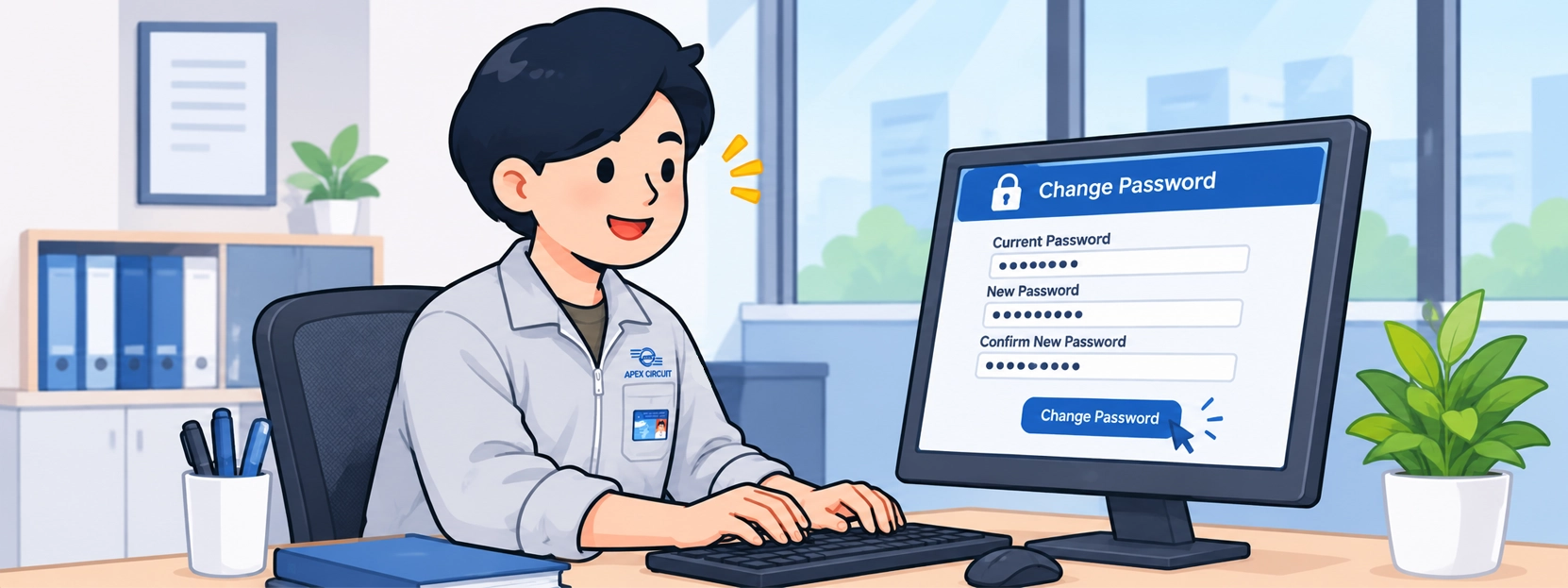
Password Expiration Reminder: How to Change Your Company Password
To ensure secure and uninterrupted access to company systems, all employees are encouraged to check their password expiration dates and update their passwords before they expire. This will help prevent login issues and minimize disruptions to daily operations.
Automatic Password Expiration Notifications
The company has implemented an automated email notification system to remind employees when their passwords are approaching expiration.
Reminder emails will be sent at the following intervals:
- 14 days before password expiration
- 7 days before password expiration
- 3 days before password expiration
- 1 day before password expiration
These notifications are designed to give employees sufficient time to update their passwords and maintain uninterrupted access to company systems.
Which Systems Are Affected?
Your company account password is used to access several systems and services, including:
- Computer Login – Access to company computers
- Company Email – Access to corporate email accounts
- ShareFile – File storage and sharing services
- VPN – Secure remote access to the company network
- Other Company Systems – Applications and services that use the same user account credentials
Updating your password before it expires helps ensure continued access to these essential services.
How to Change Your Password
Employees can change their passwords directly from their company computers by following these steps:
- Press Ctrl + Alt + Delete on your keyboard.
- Select Change a password.
- Enter your current password in the Current password field.
- Enter your new password in the New password field.
- Re-enter your new password in the Confirm new password field.
- Confirm the password change by following the on-screen instructions.
Important: Before changing your password, make sure your computer is connected to the company network or VPN.
Important Security Information
To help protect employees from phishing attempts and unauthorized access, please keep the following in mind:
- Password expiration reminders are automatically generated by the company’s system.
- These notification emails do not contain links to change your password.
- The company will never ask you to provide your username or password through these reminder emails.
- Please do not reply to these automated notification emails.
If you receive a suspicious email asking you to click a link, enter your password, or disclose your account credentials, do not follow the instructions. Contact the IT Department for verification.
A Reminder to All Employees
All employees are kindly requested to pay attention to password expiration notifications and change their passwords before the expiration date, rather than waiting until the last day.
Updating passwords on time helps reduce login issues, strengthens account security, and ensures uninterrupted access to company systems.
Thank you for your cooperation and commitment to maintaining the security of the company’s information systems.
密码即将到期提醒:公司账户密码修改指南
为确保公司信息系统的安全性及日常工作的顺利进行,请全体员工及时检查账户密码的有效期,并在密码到期前完成修改,以避免因密码过期而影响系统登录及正常工作。
一、密码到期自动提醒通知
公司已启用密码到期自动邮件提醒系统。当员工的账户密码即将到期时,系统将自动发送提醒邮件。
提醒邮件将在以下时间分别发送:
- 密码到期前14天
- 密码到期前7天
- 密码到期前3天
- 密码到期前1天
此项提醒旨在帮助员工提前安排密码修改,确保能够持续、正常地使用公司各项信息系统。
二、哪些系统会受到影响?
公司账户密码用于登录和访问多个系统及服务,包括:
- Computer Login(电脑登录) – 登录公司电脑
- Company Email(公司邮箱) – 访问公司电子邮箱
- ShareFile(文件共享系统) – 文件存储与共享服务
- VPN(虚拟专用网络) – 远程安全连接公司网络
- 其他公司系统 – 使用相同账户及密码的应用程序和服务
因此,在密码到期前及时修改密码,有助于确保上述系统和服务的正常使用。
三、如何修改账户密码?
员工可通过公司电脑,按照以下步骤自行修改密码:
- 同时按下键盘上的 Ctrl + Alt + Delete 组合键。
- 选择 Change a password(更改密码)。
- 在 Current password(当前密码) 栏中输入现有密码。
- 在 New password(新密码) 栏中输入新密码。
- 在 Confirm new password(确认新密码) 栏中再次输入新密码。
- 按照屏幕提示确认并完成密码修改。
重要提示: 修改密码前,请确保电脑已连接至公司内部网络或 VPN。
四、重要信息安全注意事项
为防范网络钓鱼邮件(Phishing)及账户信息泄露风险,请全体员工注意以下事项:
- 密码到期提醒邮件由公司系统自动发送。
- 此类提醒邮件不包含任何用于修改密码的链接。
- 公司不会通过此类提醒邮件要求员工提供用户名(Username)或密码(Password)。
- 请勿回复此类自动发送的提醒邮件。
如果收到可疑邮件,例如要求点击链接、输入密码或提供账户信息,请勿按照邮件指示操作,并及时联系 IT 部门进行核实。
五、致全体员工的重要提醒
请全体员工留意系统发送的密码到期提醒邮件,并务必在密码到期前及时完成修改,避免等到最后一天才进行操作。
及时修改密码不仅能够减少系统登录问题,还能加强账户安全保护,确保公司各项业务和日常工作顺利开展。
感谢全体员工的配合、让我们共同维护公司信息系统的安全与稳定运行!